MTA Pickleball Club – How to Use Your Package Membership
Booking a Clinic with Your Free Credit (5P or 10P)
Step 1: Download the Playbypoint App
Instructions:
Go to the App Store (iPhone) or Google Play Store (Android).
Search for Playbypoint.
Download and install the app.
Open the app and log in or create your account.
Step 2: Find the Club 🏟
Instructions:
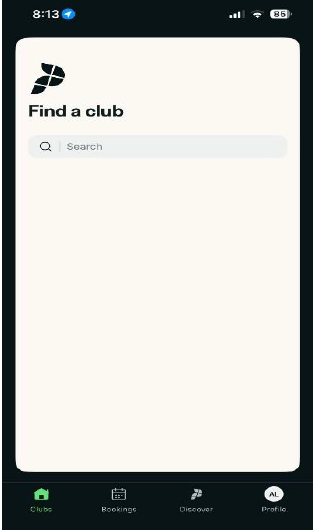
In the search bar, type MTA Pickleball Club.
Select the club from the search results.
Simply add MTA Pickleball Club as a facility by going to the Discover tab on your Playbypoint home page, searching “MTA Pickleball,” and tapping the heart icon on our club page to save it.
Step 3: Go to Programs
Instructions:
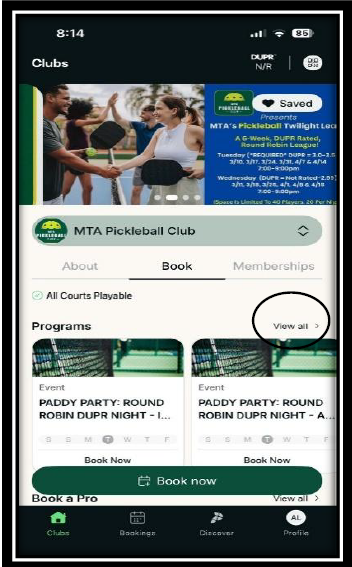
On the club page, scroll to Programs.
Click View All.
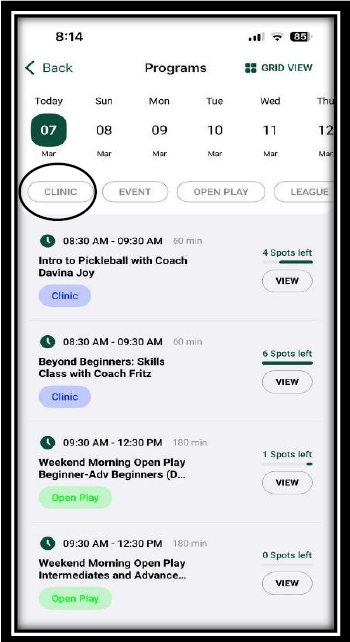
Select CLINIC.
Step 4: Choose a Clinic
Instructions:
Browse the available clinics.
Click the specific class you want to join.
Click View to see class details.

Step 5: Book the Clinic
Instructions:
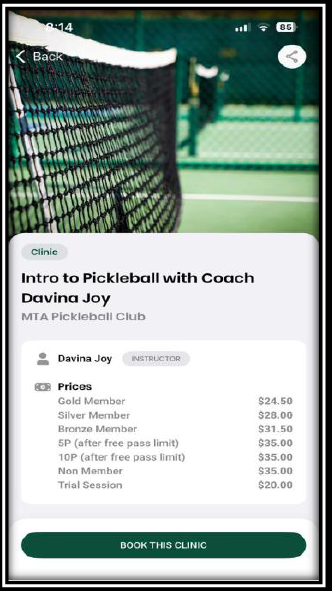
Review the class details and assigned coach.
Click Book This Clinic.
Step 6: Select the Player
Instructions:
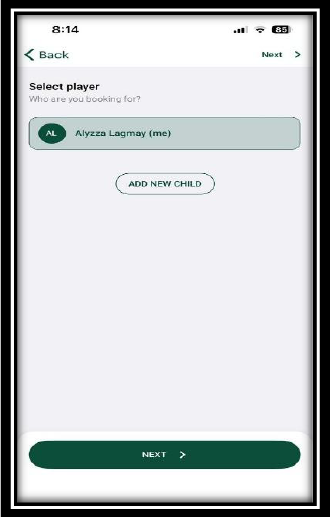
Choose the player name.
Click Next.
Step 7: Select Your Package 🎟
Instructions:
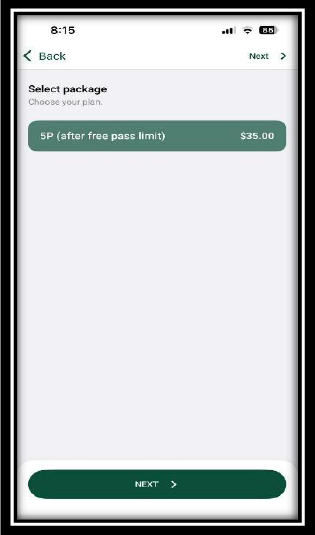
Choose your package:
o 5P Package
o 10P Package
2. Click Next.
Step 8: Select Date and Time
Instructions:
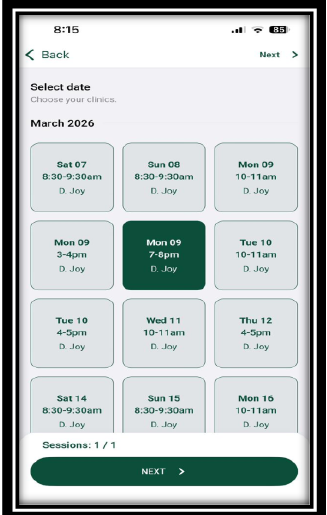
Choose your preferred date and time for the clinic.
Step 9: Use Your Free Credit
Instructions:
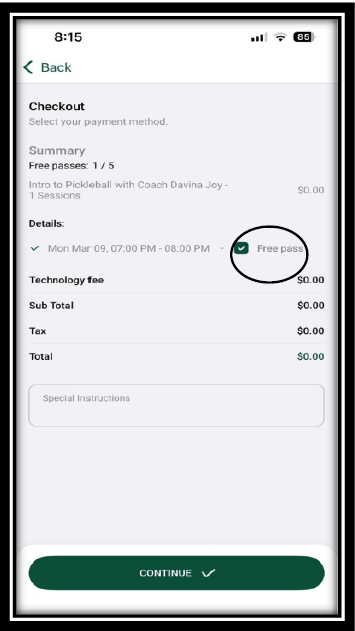
At checkout, check the Free Pass box.
Click Continue.
Booking Complete!
Your clinic booking is confirmed! Make sure your package membership is active on your account.